Coming soon to the App Store
Always know what you have left.
Safeday shows how much you can spend until the end of the month, day by day. Log your spending with a photo or by speaking English or Portuguese, and your data stays on your phone.
For iPhone and iPad, with iOS 27 or iPadOS 27 and later.
Example from the app’s sample month.
The month ring
One number for every day.
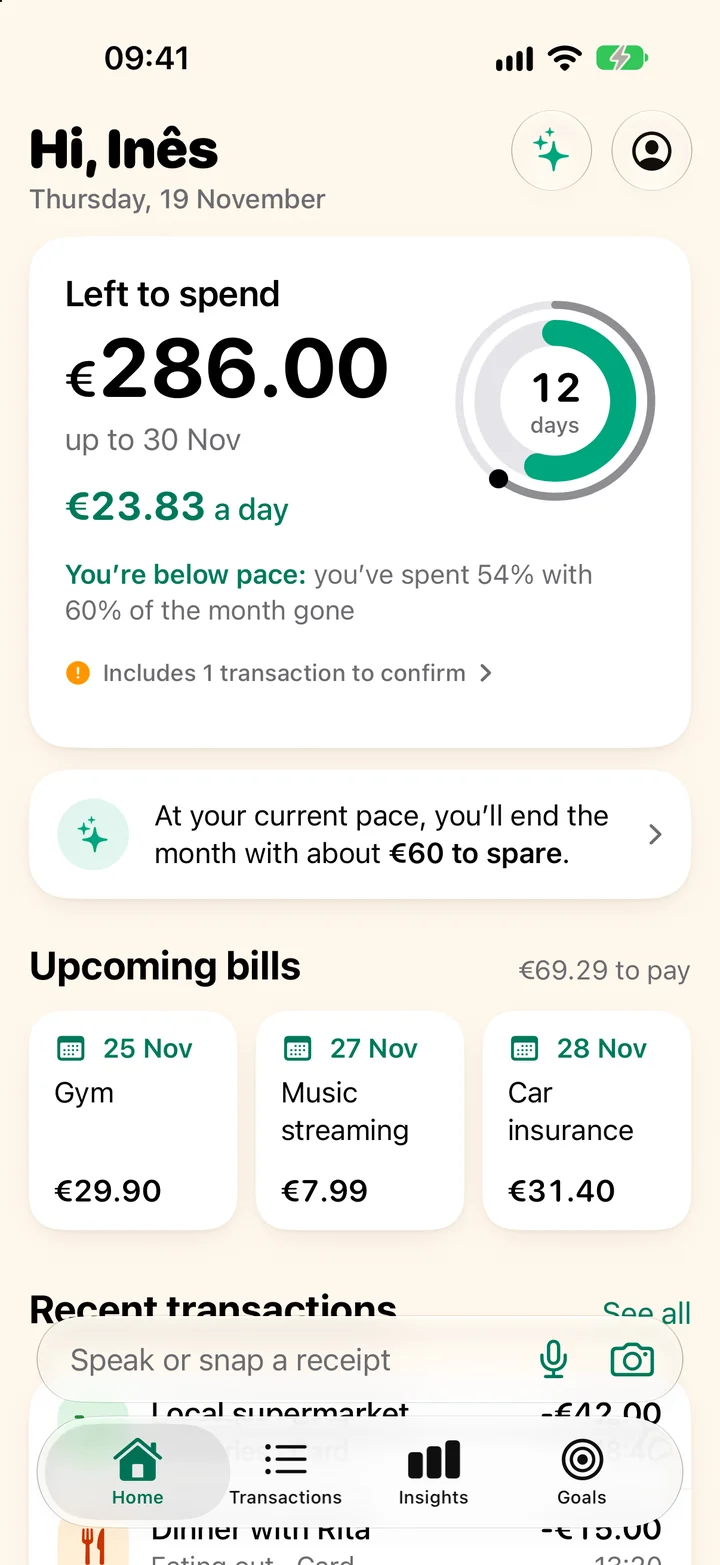
Safeday takes what came in, subtracts what you’ve spent and what you want to save, and divides the rest by the days left. The ring shows the days that have gone and the money you’ve spent, so you can see at a glance whether you’re on track.
12 days
-
€286.00
left until 30 November
-
€23.83
to spend each day, for the 12 days left
-
54% of the budget
spent with 60% of the month gone: you’re below pace
Example from the app’s sample month.
Log it in seconds.
Speak, take a photo or pay with Apple Pay. Safeday shows you what it picked up, and you confirm.
-
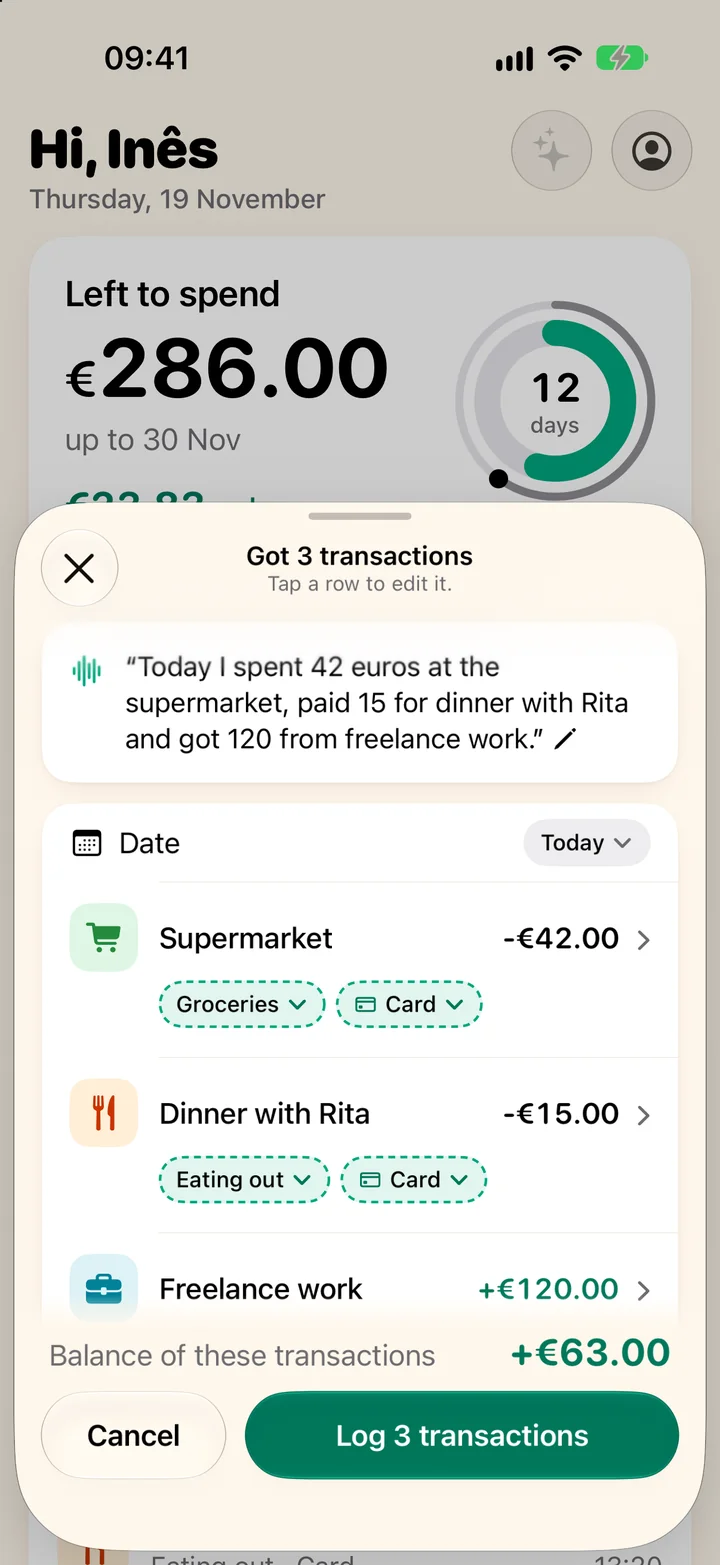
Say it, and it’s logged.
Say several expenses in one sentence, in English or European Portuguese. Safeday splits them up, suggests a category and shows them to you to confirm.
“Today I spent 42 euros at the supermarket, paid 15 for dinner with Rita and got 120 from freelance work.”
-
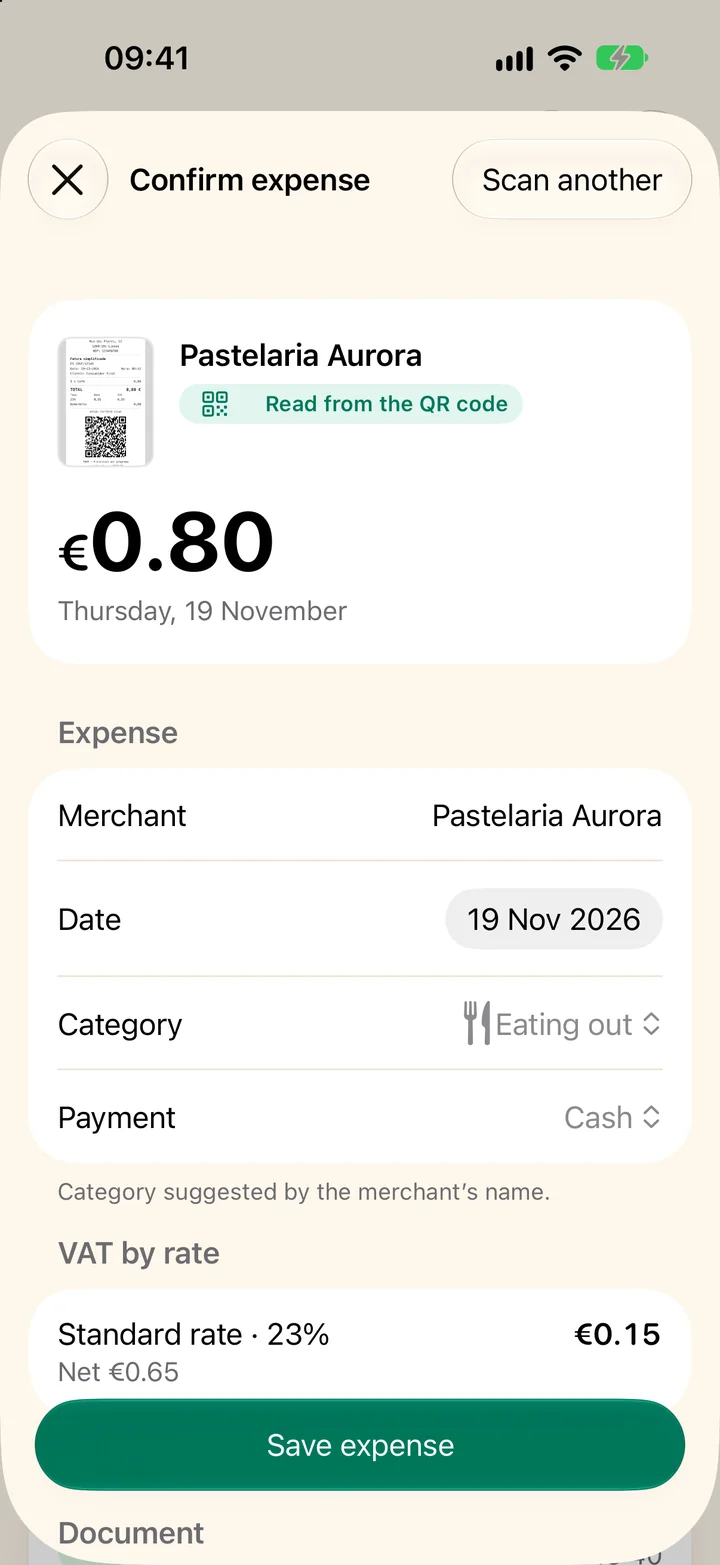
Scan the QR code on a receipt.
Safeday reads the total, the date and the merchant from the printed text of receipts in English or Portuguese. On Portuguese receipts and invoices it also reads the QR code: the total and the VAT at each rate, to the cent. With your device set to the Portugal region, it also shows the merchant’s NIF (Portuguese tax number) and checks the totals. It also opens PDF invoices you share from other apps.
-
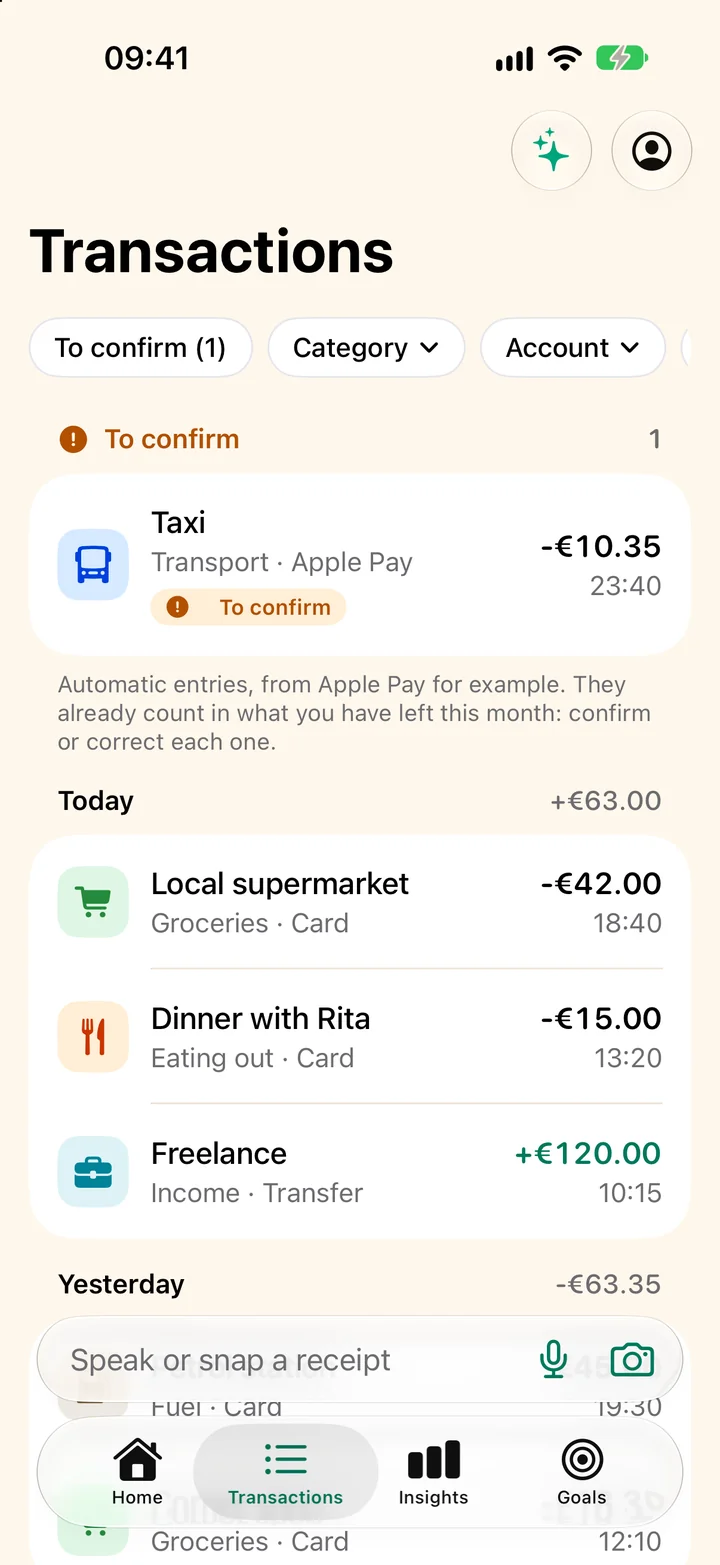
Paid with Apple Pay? It’s logged.
With an automation in the Shortcuts app, every Apple Pay payment reaches Safeday under “To confirm”, without you having to open the app. Safeday walks you through setting it up. What comes through depends on your card and bank.
-
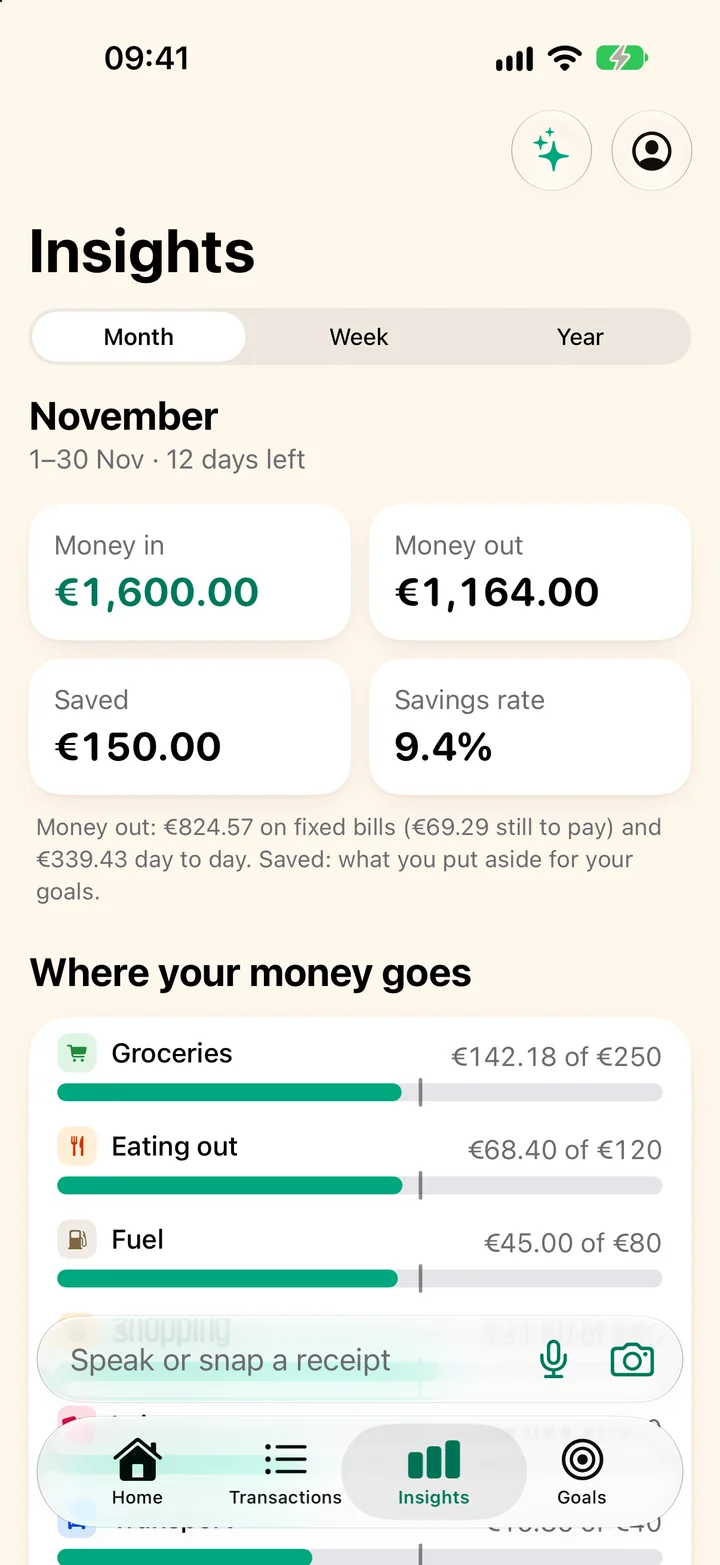
Where your money goes.
Income, spending and savings rate, each category against its budget, the month’s pace and a comparison with last month.
-
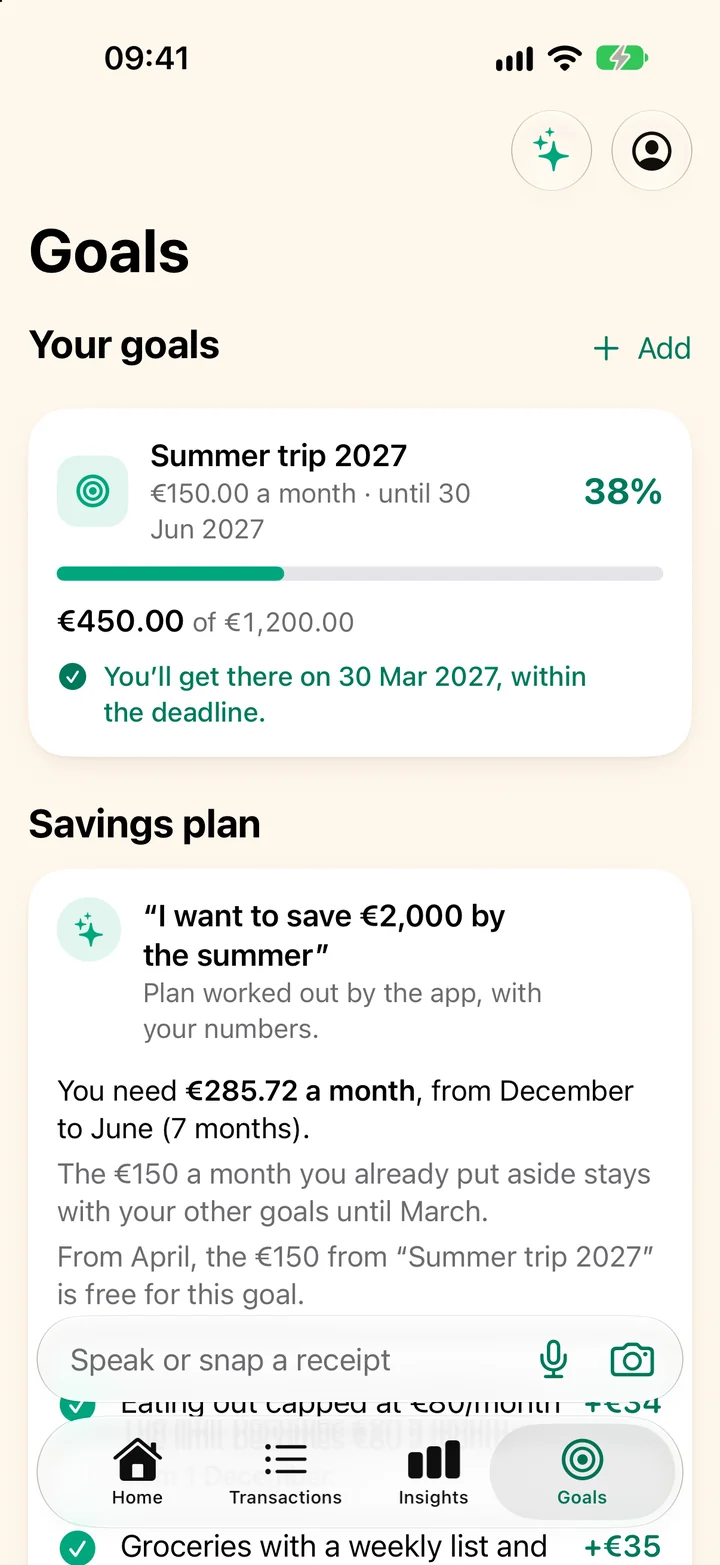
Goals with a plan.
Say how much you want to save and by when. Safeday shows how much to put aside each month and when you’ll get there, and suggests where to cut back based on your own numbers. Nothing changes until you apply the plan.
-
Ask Siri.
Say “Ask Safeday how much I can spend today” to Siri, or use the Shortcuts app. You get the answer without opening the app, and you can log an expense the same way.
SafedayToday you can spend up to €23.83. You have €286.00 left for the 12 days until 30 November.
-
Made for Portugal.
- European Portuguese and English.
- Your month can start on the 1st, on payday or on the last working day.
- VAT for mainland Portugal, the Azores and Madeira.
- Portugal’s own MB WAY and Multibanco, plus card, cash and bank transfer.
- A weekly summary, on Sundays.
Example from the app’s sample month.
Privacy
Your data stays on your phone.
Safeday works without an account, without connecting to your bank and without ads. Your transactions, receipts and NIF (Portuguese tax number) are stored on the device, and nothing is sent without your permission.
-
No account
Open the app and start. We don’t ask for an email address or a password.
-
No bank connection
You never have to give anyone access to your bank accounts.
-
No ads
No advertising, and we don’t sell your data.
-
Face ID lock
Lock Safeday with Face ID, and your amounts are hidden in the app switcher.
Coming soon to the App Store.
We’re getting the first version ready. Got a question or an idea? Write to us.
ivanshvets105@gmail.com